

How to Choose a Golf Simulator Projector That Fits Your Bay

Last Updated: November 21, 2026
Quick Summary
Choose a golf simulator projector by measuring ceiling height, room depth, and screen width first, then solving for the throw ratio your room can accept. Throw distance equals image width multiplied by throw ratio, so the room decides which projector fits before brightness or resolution matter.
Write down ceiling height, room depth, usable width, and overhead obstructions before you shop for a projector.
A 10-foot-wide image on a 1.5 throw ratio projector needs roughly 15 feet between lens and screen.
Standard throw runs 1.5 to 2.0, short throw 0.4 to 1.0, and ultra-short throw under 0.4.
In a bright room, prioritize brightness and contrast over resolution, since a bright 1080p image beats a dim 4K one.
Lens shift preserves full resolution while keystone correction crops and warps pixels, softening the image.
Will this projector actually fit my room?
We measure your space and match a projector and bay to it.
Table of Contents
Start With Room Dimensions, Not the Projector
Most buyers open a spec sheet before they pick up a tape measure. That is backwards.
The short answer: a projector is the last component you choose, not the first. Fit the room, size the image, then match a projector to that image.

Measure Ceiling Height, Room Depth, and Screen Width
Write down four measurements before you shop:
Ceiling height at the exact spot where you will stand, not at the door. A driver needs clearance above the clubhead at the top of the backswing.
Room depth from the screen to the back wall. This sets your maximum throw distance.
Usable width between side walls or posts. This caps your screen size.
Overhead obstructions such as beams, ductwork, or a garage door track.
Ceiling height is the one people get wrong. A room that clears a wedge may not clear a driver, and the projector mount itself eats into that space. If you are unsure whether your ceiling works, our guide to the minimum ceiling height for a home golf simulator walks through the clearance math before you commit to a bay layout.
Golf Simulator Projector Throw Distance and Placement Math
Throw distance is the gap between the projector lens and the screen. Every projector has a throw ratio, printed as a single number or a range, and that ratio tells you how far back the unit must sit for a given image width.
The formula is simple: throw distance equals image width multiplied by throw ratio. A 10-foot-wide image on a projector with a 1.5 throw ratio needs roughly 15 feet of room between lens and screen. The same image on a 0.5 ratio unit needs about 5 feet.
Work the Math Backward From Your Room
Most buyers start with a projector and hope it fits. Do the reverse. Measure the room, decide the image size, then solve for the throw ratio your room can accept.
Screen width (W). The usable width of your impact screen or the image you want to fill, in feet. A 16:9 image that is 10 feet wide is about 5.6 feet tall.
Lens-to-screen distance (D). The straight-line distance from where the projector lens will sit to the screen surface. Subtract the depth of the mount and any enclosure frame.
Required throw ratio. Divide D by W. That is the maximum throw ratio your room can use. A room with 12 feet of lens-to-screen distance and a 10-foot image needs a ratio of 1.2 or lower.
Mounting height. The lens should sit level with or slightly above the top of the image. Note the ceiling height at the mount location and subtract the mount drop.
Worked example. A garage bay is 14 feet deep from screen to back wall, and the owner wants a 12-foot-wide image.
Second example. A bonus room is only 9 feet deep, and the owner wants a 10-foot image. With the lens 1 foot off the wall, D is 8 feet.
Watch out: using the room's full depth as D.
Match the Ratio to the Mount, Not Just the Room
Throw ratio and mounting height interact. A short-throw projector mounted at the back of a shallow room throws a wide image from close range, which is exactly what tight bays need.
A common pattern is to mount the projector so the lens is level with the top edge of the image and centered on the screen's horizontal midpoint. That placement keeps the beam out of the swing path and keeps the image square without leaning on digital correction.
Short Throw vs. Standard Throw vs. Ultra-Short Throw
Throw ratio is the relationship between how far the projector sits from the screen and how wide the image becomes. It is the single spec that decides whether a projector fits your room.
Type | Typical Throw Ratio | Space Needed | Best For |
Standard throw | 1.5 to 2.0 | Deep rooms | Dedicated long bays |
Short throw | 0.4 to 1.0 | Mid-size rooms | Most home bays |
Ultra-short throw | Under 0.4 | Very tight rooms | Shallow bonus rooms |
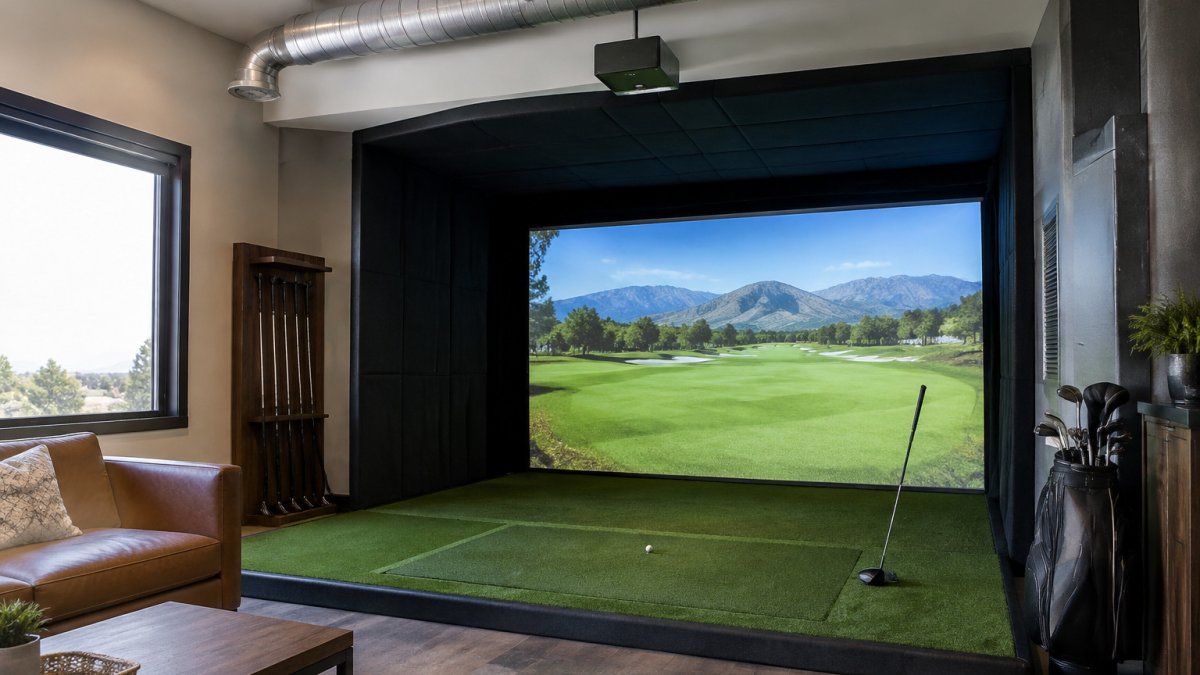
Short throw is the workhorse for home builds. It keeps the projector close enough that you are not walking through the beam, and it cuts down on shadow interference.
Once you have your required ratio, sort candidate projectors by that number first, then by brightness and resolution.
How Many Golf Simulator Projector Lumens Do You Need?
Brightness is where budget builds usually fall short.
Plan for a brighter unit than you would buy for a home theater of the same size. Simulator screens are large, ambient light is often uncontrolled, and a dim image makes ball flight hard to read.
Watch out: buying on lumens alone. A high-lumen projector with a poor contrast ratio can look washed out on a bright screen. Match brightness to your room's light conditions and screen material, not to the biggest number on the box.
Golf Simulator Projector Resolution: 1080p vs. 4K
Resolution decides how much detail you see in the ball and the course. A 1080p projector is the practical baseline for a home bay and handles most simulator software well.
The trade-off is cost and brightness. Many affordable 4K projectors sacrifice light output to hit that resolution, and a dim 4K image looks worse than a bright 1080p one. If your room is bright or your screen is large, prioritize brightness first.
The Best Projector for Golf Simulator on a Budget
The best budget pick is not the cheapest projector you can find. It is the least expensive unit that still meets your throw distance, brightness, and resolution needs for your specific room. Spend on the specs your room demands and save on the ones it does not.
Price the Whole System, Not the Box
The sticker price is the smallest part of the decision. A projector that costs less up front can cost more over five years once you add the mount, cabling, and replacement light source. Build a total-cost-of-ownership sheet before you compare models.
Projector. The purchase price itself.
Mount. A ceiling mount with the right drop and tilt range. Short-throw and ultra-short-throw units often need a specific mount, and ultra-short-throw models frequently require a wall mount rather than a ceiling mount.
Cabling. A long HDMI or HDBaseT run from the computer or launch monitor to the projector. Runs over about 25 feet usually need an active cable or a signal extender, which adds cost.
Light source. Lamp-based projectors need replacement lamps every few thousand hours, and each lamp is a real line item (Classroom Projector Buyer's Guide- Lamp Life). Laser projectors cost more up front but are rated for far longer before service, which shifts the math toward laser for heavy-use bays.
Installation and alignment. If you hire out the mount and alignment, budget for it. A misaligned ultra-short-throw unit can cost a service call to fix.
Run the numbers for your own hours-per-week before you assume the low sticker price wins.
Pick the Scenario, Then the Projector
Small or shallow room (under about 10 feet of depth). Prioritize throw ratio above everything else. You need a short-throw or ultra-short-throw unit, and ultra-short-throw is the safer fit if depth is truly tight. Accept 1080p to keep the budget in range, and put the savings into a rigid mount, because alignment matters more here than resolution.
Bright room with windows or an open garage door. Prioritize brightness and contrast over resolution. A bright 1080p image beats a dim 4K image in uncontrolled light.
Budget build in a dark, moderate-size room. This is where 1080p short throw shines.
Premium setup with a large screen. Step up to 4K and higher brightness together, not one without the other.
Watch out: buying for a future remodel.
You can browse the simulator products and projector options we build around to see how the components fit together, and our breakdown of home golf simulator setup costs shows where the projector sits inside the full build budget.
Keystone Correction, Lens Shift, and Image Geometry
Lens shift is the better tool. It preserves full resolution and keeps edges sharp. Keystone correction fixes geometry by cropping and warping pixels, which softens the image and can leave visible borders.
Get the physical placement right and you barely touch either setting. A level mount, correct throw distance, and centered lens do more for image geometry than any menu option.
Impact Durability, Connectivity, and Total Cost of Ownership
A golf simulator projector lives in a room where golf balls fly. That changes what you should care about.
On durability, mount the projector out of the ball's path and shield it from stray shots.
Total cost of ownership goes beyond the projector price. Factor in the mount, cabling, a replacement lamp or laser lifespan, and any screen or enclosure work. Our breakdown of home golf simulator setup costs puts the numbers in context.
Book an On-Site Measurement Before You Buy
The most reliable way to choose a golf simulator projector is to measure the room first, then match the projector to those numbers. A tape measure, a level, and the throw ratio formula will get you most of the way. A professional on-site measurement can close the gap.
At Rocket Simulators, we handle the full process from on-site consultation to final installation, using custom-built bays with North American aluminum and wood and a professional-grade ProTee projector system. If you would rather have the measurements and mounting handled correctly the first time, schedule a professional simulator installation or contact our team to book an on-site measurement.
Choosing the right projector comes down to fitting the room before the spec sheet.
Frequently Asked Questions
How many lumens should a golf simulator projector be?
Brightness needs depend on the room, so higher output helps if ambient light is hard to control. A golf simulator projector lumens rating matters more in a garage with open doors or windows than in a dedicated room with blackout shades. Match the rating to your room first, then confirm the image stays bright enough at your screen size.
Will any projector work with a golf simulator?
No. A projector needs enough brightness, a throw ratio that fits your room depth, and inputs that match the simulator's launch monitor and software. Office projectors often lack the brightness or mounting flexibility a golf bay needs. Before buying, confirm the throw distance fits your ceiling height and screen width, and check that the projector supports the resolution your software outputs.
What throw ratio do I need for a golf simulator projector?
Throw ratio is the distance from the lens to the screen divided by the image width. A room with a short mounting distance needs a low ratio, such as a short-throw or ultra-short-throw model. A longer room can use a standard-throw unit. Calculate your screen-to-projector distance first, then pick a projector whose ratio range covers that gap without forcing keystone correction.
How do I prevent shadows on a golf simulator screen?
Mount the projector so it sits outside your swing path and above head height, ideally centered on the screen. Shadows appear when the projector is too low or too close to where you stand. Short-throw and ultra-short-throw models reduce shadow interference because they sit near the screen, but placement still needs to clear your backswing and follow-through.
Comments